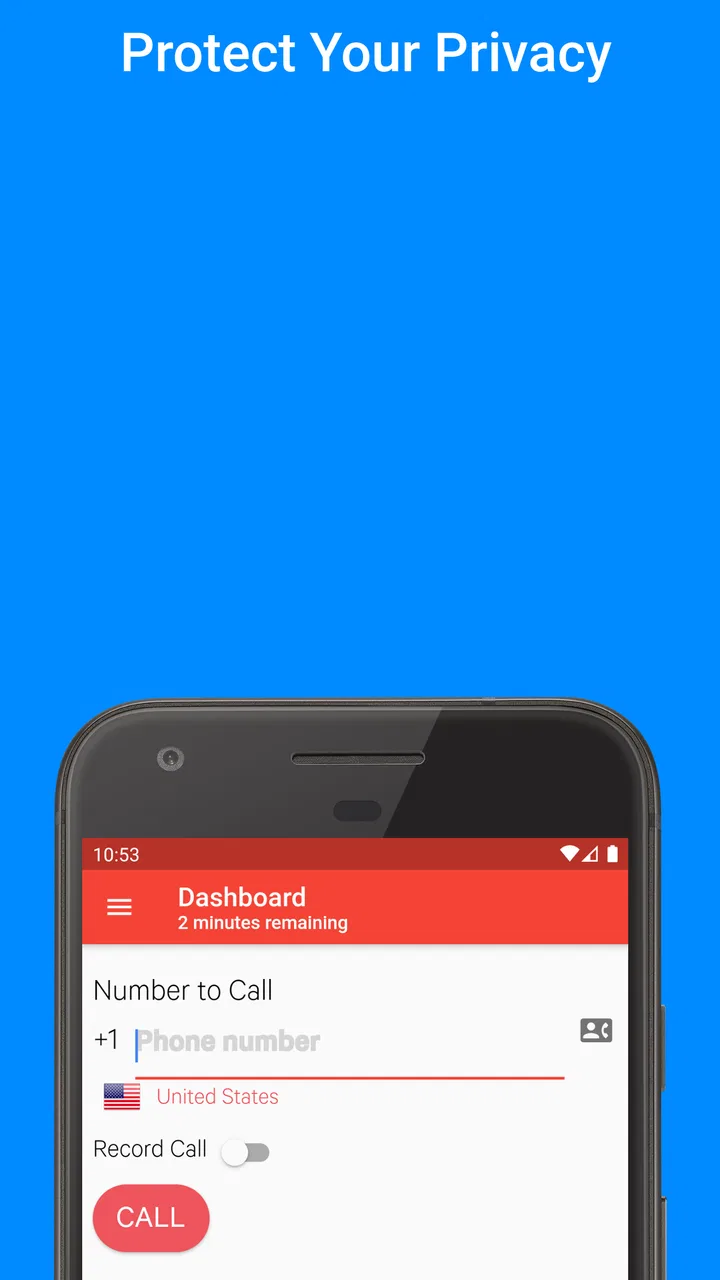
Private Callr - Secure & Anony
- 3.1
- Rating
- 50.00K
- Installs
- Free
- Price

 Analysis by App-foxy
Private phone numbers are useful when I want to keep my personal line away from a one-off conversation, an online listing, or a situation where I am not fully comfortable sharing my identity. That is the space where Private Callr - Secure & Anony tries to help. It is a free communication app from Caller ID Faker LLC, built around using a private number rather than handing out my everyday number.
After spending time with it, I see the app as a focused privacy tool rather than a complete replacement for my normal phone service. Its appeal is easy to understand: I can separate certain calls from my main number and reduce the amount of personal contact information I expose. The trade-off is that an app in this category needs careful expectations. A private number is convenient, but it does not automatically make every call anonymous, every caller trustworthy, or every communication problem disappear.
What using Private Callr feels like in everyday situations
The most convincing use case is a temporary or limited-contact situation. Imagine I am selling a piece of furniture online. I want interested buyers to call, but I do not want my regular number sitting in a message thread that may be forwarded or saved indefinitely. A separate number gives me a practical boundary: I can handle the conversation without immediately exposing the line I use for family, work, banking, and account recovery.
You May Also Like

 Blood Strike: 2.5 Anniversary
Blood Strike’s Loadouts Turn Every Drop Into a Tactical Gamble
A close look at Blood Strike’s custom loadouts: how fast access to signature weapons reshapes its battle royale rhythm, rewards preparation, and narrows the gap between fights.

 Pandora - Music & Podcasts
Pandora’s Music Is Easy to Start, but Harder to Recover
Pandora’s strength is its low-effort path from a seed to a station. Its weak spot is how much confidence it asks you to place in connection, setup, and quiet recovery.

 8 Ball Pool
 Is Built on Rivalries, Rematches, and Routine
A close look at the rivalries, rematches, shared routines, and unanswered safety questions that turn a quick pool match into a persistent mobile community.

 Samsung Music
’s Quiet Strength Is Playing What You Already Own
Its reach comes less from spectacle than from dependable access to a personal library. That simplicity is both the app’s strongest retention engine and its ceiling.

 AccuWeather: Weather Radar
AccuWeather Review: A Quick, Clear Forecast for Everyday Decisions
For everyday plans, the best forecast is the one you can understand quickly. AccuWeather makes rain timing, radar, and local conditions easy to act on, with a few trade-offs.

 Hill Climb Racing
Why Hill Climb Racing Still Turns Crashes Into One More Run
A tiny car, a bumpy hill and one more upgrade: Hill Climb Racing keeps resurfacing because its simple chaos makes every near-miss feel personal.
More From Our News Desk
View All News


The same idea can help when contacting a service provider, arranging a pickup, responding to an unfamiliar inquiry, or keeping personal and side-project conversations apart. I would still use common sense, but the separation makes these interactions easier to manage. It is especially useful for people who frequently publish contact details and do not want every public interaction routed to their primary phone.
What I like is the simplicity of the central idea. I do not have to change my normal number or ask contacts to update their address books. Instead, the app gives me a communication layer for situations where privacy matters more than long-term convenience. That makes it more targeted than a standard dialer and more practical than using a second physical SIM for every short-lived need.
There is also a psychological benefit that is easy to overlook. When I use a separate number, I can make a clearer distinction between calls I need to answer immediately and calls connected to a temporary activity. That does not guarantee fewer unwanted calls, but it can make my personal line feel less exposed. For someone who regularly deals with unknown contacts, that boundary may be the app’s strongest everyday value.
Speed expectations and the first moments of a call
For this kind of app, perceived speed is less about flashy animation and more about how quickly I can move from opening the app to making a call. Private Callr is most useful when the number and calling workflow are straightforward. If I need to spend too much time navigating before a simple conversation, the privacy benefit becomes less attractive in real life.
I would approach the app with realistic expectations about app-based calling. The experience depends on more than the interface itself: the phone, the operating system, the current connection, and the service path between the app and the recipient can all affect how quickly a call begins. I would not choose it for a situation where an immediate, guaranteed connection is essential unless I had already tested it on my own device.
My practical advice is to prepare before the moment you need it. Set up the private number while you have a stable connection, check that the app is ready, and make a short test call to someone you trust. That small step tells me more about real-world responsiveness than any general promise of speed. It also prevents the common mistake of installing a privacy app only after an urgent contact request arrives.
The free entry point makes that test easier. Private Callr is listed as free, although it includes in-app purchases ranging from around two dollars to around sixty dollars per item. I would therefore treat the initial setup as an evaluation period rather than assuming every useful action will remain cost-free. Before relying on it heavily, I would check what the particular workflow requires and whether it fits my calling habits.
What happens during heavier use
Light use is the natural fit: occasional calls, short-term contact, or a separate number for a specific activity. Heavy use raises different questions. If I expect to handle a large volume of calls, keep the app active throughout the day, or use it as my main communication channel, I would test it more carefully instead of assuming that an app designed around privacy will behave like a carrier’s default phone service.
Frequent calling can expose friction that is invisible during a single test. I may need to keep track of which number I am presenting, remember which contacts belong to the private line, and monitor how the app fits into my normal call history. That organizational overhead is not a flaw unique to this product, but it matters because the app’s value depends on maintaining a clean separation between identities.
There is a useful workflow here for people who manage several small projects. I could reserve the private number for one activity and avoid mixing those calls with personal conversations. However, I would not create a complicated web of numbers without a clear reason. The more temporary identities I use, the easier it becomes to forget which number a person saw or where a call belongs. Privacy tools work best when the separation is deliberate rather than excessive.
Resource demands are another sensible consideration. I would not expect a communication app to be invisible in every situation, especially when it is handling calls or maintaining a connection. On a phone with limited storage, an older battery, or many active apps, I would watch for practical signs such as faster battery drain, delayed notifications, or the operating system closing the app in the background. Those are reasons to adjust usage, not proof of a specific problem with Private Callr.
When I need the app only for occasional calls, these concerns are less important. When I need it all day, I would compare the convenience against a second SIM, an established secondary phone service, or the privacy features already included with my carrier. The best choice depends on whether I value quick setup or long-term, high-volume reliability.
Reliability, recovery, and the cost of a failed call
Reliability matters more here than visual polish. A missed call to a buyer is inconvenient; a failed call during a time-sensitive appointment can be much more serious. I would therefore keep my regular number available as a fallback and avoid treating Private Callr as my only emergency communication route.
A good recovery plan is simple. If a call does not connect, I would first check the phone’s connection, reopen the app, and try again before assuming the private number itself is unusable. If the situation is important, I would use another trusted method rather than repeatedly retrying without knowing whether the recipient is receiving anything. This approach protects me from both technical uncertainty and accidental duplicate calls.
I also recommend telling trusted contacts what to expect. An unfamiliar number can look suspicious, particularly when people are already cautious about robocalls. A short message explaining that I will call from a private number can prevent the recipient from ignoring the call. That is a small but important trade-off: privacy for me may look like uncertainty to the person on the other end.
The app’s store summary presents it as a way to protect privacy and stop robocalls by using a private phone number. I would interpret that carefully. A separate number can reduce exposure of my main line, but it should not be treated as a universal filter against every unwanted call. I would still avoid sharing the private number widely, block or ignore suspicious contacts when appropriate, and never rely on the app alone to identify whether a caller is safe.
Recovery also includes account and number management. Before using the app for an ongoing conversation, I would make sure I understand how I will regain access if I change phones, reinstall the app, or lose the current session. I would not build an essential long-term relationship around a number unless I was comfortable with the app’s continuity in my own setup. That is a sensible precaution for any secondary communication service.
Device limits and compatibility
Private Callr supports devices running Android 7.0 or later, which gives it a broad compatibility range for many Android phones. Still, operating-system support is only the starting point. Older devices may have slower processors, less available memory, weaker batteries, or more aggressive background management. Those differences can affect how comfortable the app feels even when the phone technically meets the minimum requirement.
If I were installing it on an older phone, I would keep the test practical. I would open the app after a normal day of use, place a test call, switch between it and another app, and see whether returning to the call workflow feels consistent. I would also check whether the phone’s battery condition makes extended communication inconvenient. This is more useful than judging performance from the minimum operating-system version alone.
On a newer phone, the limiting factor is more likely to be workflow than raw performance. I may have plenty of power, but still need to remember that this is a separate communication identity. Contacts, call expectations, and privacy habits all need to be managed deliberately. A fast phone cannot remove that human part of the process.
The age rating is Everyone, so the app is presented as suitable for a general audience. That does not mean every use is appropriate for every person. Younger users, in particular, should understand that a private number is not permission to contact strangers carelessly or conceal harmful behavior. Adults should also remember that privacy and accountability are separate issues.
The current version is 2.2.2. I would keep the app updated through the normal store process and retest the calling workflow after a major phone or operating-system change. Communication apps can be especially sensitive to system changes, so a quick check before an important call is a worthwhile habit.
How it compares with ordinary alternatives
The default phone app is still the better choice for routine personal calling. It is familiar, already connected to my primary number, and usually the least complicated option for people who call me regularly. If I do not need separation or privacy around my number, adding another app may create unnecessary work.
A second SIM or an established secondary mobile service can be stronger for long-term use. Those options may feel more like a complete phone line, which is valuable if I need dependable availability, consistent contact history, or regular business communication. Their downside is usually greater setup commitment, and they may be less convenient when I only need a temporary boundary.
Messaging platforms can be preferable when the other person already uses the same service. They may offer text, voice, and group communication in one place, but they do not solve the same problem if I need to call someone who does not share that platform. Private Callr is more relevant when the phone number itself is part of the interaction.
Privacy-focused calling services may offer broader controls, but broader features can also mean more settings to learn. Private Callr makes the most sense to me when I want a focused secondary-number workflow rather than a full communications suite. I would choose the alternative that matches the duration and importance of my use: temporary separation favors this app, while permanent high-volume calling may favor a dedicated second line.
Who should use it, and who should skip it
I would recommend Private Callr to someone who occasionally needs to call unfamiliar people without exposing a primary number. Online sellers, renters arranging viewings, freelancers handling first-contact inquiries, and people separating a side activity from personal life can all understand the benefit quickly.
I would also consider it for travel planning or one-time arrangements, provided I had tested it before leaving and kept another communication option available. The private number can reduce the need to hand out my everyday line, but I would not assume that it replaces the reliability of a normal mobile connection in every location.
I would skip it if I need a guaranteed primary phone line, extensive business call management, or a permanent number that must remain central to my identity. I would also skip it if I am unwilling to monitor in-app purchase prompts or keep track of a separate calling identity. A privacy tool is not automatically convenient just because it is free to install.
The rating sits at about 3.1 from roughly 317 ratings, with more than 170 written reviews, while the app has passed 50 thousand installs. Those figures suggest a real but relatively modest user base and a mixed reception rather than universal approval. I would read that as a reason to test the exact features I need, not as a final verdict. Communication quality can vary considerably between devices, connections, and use cases.
My strongest tip is to decide what the private number is for before activating it. If the purpose is an online sale, use it for that activity and avoid casually posting it elsewhere. If the purpose is separating freelance inquiries, establish a routine for checking it. Clear boundaries make the app more useful and reduce the chance that the secondary line becomes just another exposed number.
My performance verdict
Private Callr is a practical, narrowly focused communication app. I like it most as a buffer between my personal number and short-term or uncertain contacts. Its value is not that it makes every call effortless or every caller harmless; its value is that it gives me a way to control which number I share.
Speed should be judged through a personal test call, heavy use deserves more caution, and reliability should always include a backup plan. Older Android phones may need closer observation, while newer devices are unlikely to solve the organizational trade-offs for me. In other words, the app’s performance is only part of the decision. The bigger question is whether a separate number fits the way I communicate.
For occasional privacy-conscious calling, I think it is worth trying because the entry cost is low and the purpose is clear. For mission-critical communication or permanent business use, I would compare it with a second SIM or a more established secondary line before committing. The right way to use Private Callr is as a controlled privacy layer, not as a complete substitute for dependable everyday phone service.
Caller ID Faker LLC has made an app that addresses a real annoyance with a simple idea. I would keep it installed for situations where sharing my main number feels unnecessary, but I would use it selectively, test it before important calls, and remain alert to the difference between privacy and true anonymity. That balanced approach is where the app makes the most sense.
FAQs for Private Callr - Secure & Anony
01What is Private Callr - Secure & Anony, and how does it work?
Private Callr - Secure & Anony is designed for users who want an additional layer of privacy when making calls. The app generally works by providing a separate calling identity or privacy-focused communication method, depending on the available service in your region. Before downloading, review its current features, supported countries, account requirements, and whether calls use mobile minutes, internet data, or both.
02Can I make completely anonymous calls with Private Callr - Secure & Anony?
The app’s name suggests a focus on private or anonymous calling, but users should not assume that calls are untraceable or invisible in every situation. Phone carriers, internet providers, app systems, and legal authorities may still retain technical records. Check the application’s privacy policy carefully to understand what information may be collected, how caller identification works, and what level of anonymity the service actually provides.
03Is Private Callr - Secure & Anony free to use?
The application may be free to download while offering paid credits, subscriptions, premium calling options, or other in-app purchases. Costs can vary according to the destination, call duration, selected phone number, and local availability. Before placing a call, inspect the pricing screen and subscription terms carefully, especially if the app offers a trial period that automatically renews unless canceled.
04Does Private Callr - Secure & Anony require my real phone number or personal information?
Many privacy-oriented calling apps still request some information for registration, verification, fraud prevention, or account recovery. Depending on the version and region, this could include an email address, phone number, payment details, or device permissions. Read the onboarding screens instead of granting every permission automatically, and review the developer’s privacy disclosures before entering sensitive personal information.
05Is Private Callr - Secure & Anony safe and legal to use?
Using a privacy-focused calling service is generally legitimate when it is used for lawful communication, personal safety, or protecting your contact details. However, anonymous calling must not be used for harassment, impersonation, threats, fraud, or bypassing local regulations. Download the app only from an official store, verify the developer name, keep the app updated, and check local laws before using its privacy features.
Pros
- Hides your personal number when making calls.
- Useful for temporary communication with unfamiliar contacts.
- Simple interface with minimal setup required.
- Can help separate private calls from your main phone line.
- Adds an extra privacy layer for sensitive conversations.
Cons
- May require payment or credits for continued calling.
- Call quality depends heavily on your internet connection.
- Some recipients may distrust calls from hidden numbers.
- Not all regions or carriers may support its calling features.
- Privacy protection may not cover your device or call metadata.

Private Callr - Secure & Anony
Gallery